I was a spectator at a battle of illustrators yesterday. They fought in turns, in which the topic to draw was seemingly randomized and produced such combinations:
- An invisible elephant plays the guitar,
- A space sheep counts the stars,
- A 2-meter-tall flea rides on a bicycle,
- A five-legged frog stops time,
- A clumsy hamster plays hide-and-seek.
The drawings for the third prompt, for example, were of an elder frog wizard supporting himself with a cane (the fifth leg) using magic to stop time, and another frog that tried to stop the Earth from rotating by catching the sun with its tongue.
You see something like that, and you wonder if you could come up with something as the illustrators did. Creative answers aside, I really liked the idea of getting a randomized subject to draw, as I had participated in a daily drawing challenge the previous year and was increasingly struggling to come up with different things to draw.
Let’s Recreate the Magic
So without further ado, let’s start building it here in Ampscript, as I didn’t want to create a paper solution for this.
Let’s dissect how the subject of this picture was constructed with 3 cards:
- five-legged – the modifier/adjective
- frog – the subject
- stops time – the activity
Let’s take the five rounds and break them into the categories:
| Modifier | Subject | Activity |
| invisible | elephant | plays the guitar |
| space | sheep | counts the stars |
| 2-meter-tall | flea | rides on a bicycle |
| five-legged | frog | stops time |
| clumsy | hamster | plays hide-and-seek |
All of the participants of the battle were illustrators of children’s books, so the subjects were animals.
Let’s extend this with more entries:
| Modifier | Subject | Activities |
| pirate | dinosaur | gets creative |
| undercover | horse | bakes something |
| spy | octopus | levels up |
| happy | rhino | gives up |
| evil | lion | exercises |
| military | tiger | investigates a crime |
| medieval | cat | renovates |
| ancient | dog | is a lie |
| futuristic | shrimp | flies |
| robot | manta ray | is afraid |
| posh | shark | is learning |
| crazy | walrus | makes a discovery |
| mystic | mammoth | screws up |
| hippy | unicorn | takes part in a race |
| journalist | dragon | does a trick |
This might have actually been the hardest part of this project. Of course, apart from actually drawing something afterwards.
The actual code
For brevity, we can create our slot machine without using a data extension – the three types of columns can be held in three variables as strings with a separator delimiting the different elements:
    set @separator = '•'
    set @modifiers = 'invisible•space•2-meter-tall•five-legged•clumsy•pirate•undercover•spy•happy•evil•military•medieval•ancient•futuristic•robot•posh•crazy•mystic•hippy•journalist'
    set @subjects = 'elephant•sheep•flea•frog•hamster•dinosaur•horse•octopus•rhino•lion•tiger•cat•dog•shrimp•manta ray•shark•walrus•mammoth•unicorn•dragon'
set @activities = 'plays the guitar•counts the stars•rides a bicycle•stops time•plays hide-and-seek•gets creative•bakes something•levels up•gives up•exercises•investigates a crime•renovates•is a lie•flies•is afraid•is learning•makes a discovery•screws up•takes part in a race•does a trick'To select a random element of those lists, we’ll do the following for each of the lists:
We’ll use a new variable and convert the string to a row set:
set @subjectSet = BuildRowSetFromString(@subjects, @separator)We’ll count the number of elements (rows in the resulting row set) and set that as the upper limit of a randomly generated number:
set @subjectIndex = Random(1, RowCount(@subjectSet))This gives us a number that’s not greater than the number of our elements in the given set, so we can safely use it as a sort of coordinate to grab the element.
Let’s visualize the @subjectSet row set as a table:
| Row number | Field number |
| 1 | |
| 1 | elephant |
| 2 | sheep |
| 3 | flea |
| 4 | frog |
| 5 | hamster |
First, we grab the exact row:
Row(@subjectSet, @subjectIndex)And then we need to select the correct column of our table using the Field function.
Normally, when using fields from a data extension, we would need to use a name, but our artificially constructed row set never had field names, so we can just use the number 1 to indicate we want to use the first (and only) value in the row set:
Field(Row(@subjectSet, @subjectIndex), 1)The same logic would apply to extracting the modifiers and activites we defined.
Basic code version
For those who want to see only one prompt afterwards:
<!DOCTYPE html>
<html lang="en">
<head>
<meta charset="UTF-8">
<meta name="viewport" content="width=device-width, initial-scale=1.0">
<title>Ampscript Slot Machine</title>
<style>
body{
background-color: black;
color: whitesmoke;
font-family: monospace;
}
</style>
</head>
<body>
<h1>Ampscript Slot Machine</h1>
%%[
    set @separator = '•'
    set @modifiers = 'invisible•space•2-meter-tall•five-legged•clumsy•pirate•undercover•spy•happy•evil•military•medieval•ancient•futuristic•robot•posh•crazy•mystic•hippy•journalist'
    set @subjects = 'elephant•sheep•flea•frog•hamster•dinosaur•horse•octopus•rhino•lion•tiger•cat•dog•shrimp•manta ray•shark•walrus•mammoth•unicorn•dragon'
    set @activities = 'plays the guitar•counts the stars•rides a bicycle•stops time•plays hide-and-seek•gets creative•bakes something•levels up•gives up•exercises•investigates a crime•renovates•is a lie•flies•is afraid•is learning•makes a discovery•screws up•takes part in a race•does a trick'
set @modifierSet = BuildRowSetFromString(@modifiers, @separator)
set @subjectSet = BuildRowSetFromString(@subjects, @separator)
set @activitySet = BuildRowSetFromString(@activities, @separator)
set @modifierIndex = Random(1, RowCount(@modifierSet))
set @subjectIndex = Random(1, RowCount(@subjectSet))
set @activityIndex = Random(1, RowCount(@activitySet))
set @modifier = Field(Row(@modifierSet, @modifierIndex), 1)
set @subject = Field(Row(@subjectSet, @subjectIndex), 1)
set @activity = Field(Row(@activitySet, @activityIndex), 1)
]%%
%%=v(@modifier)=%% <br>
%%=v(@subject)=%% <br>
%%=v(@activity)=%% <br>
</body>
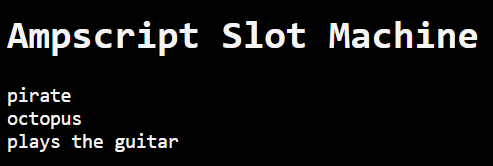
</html>Example output:
Looped version
For those who want to see more results, just set the desired count in the @iterationCount variable:
<!DOCTYPE html>
<html lang="en">
<head>
    <meta charset="UTF-8">
    <meta name="viewport" content="width=device-width, initial-scale=1.0">
    <title>Ampscript Slot Machine</title>

    <style>
        body{
            background-color: black;
            color: whitesmoke;
            font-family: monospace;
        }
    </style>
</head>
<body>
<h1>Ampscript Slot Machine</h1>
<ol>
%%[
    set @separator = '•'
    set @modifiers = 'invisible•space•2-meter-tall•five-legged•clumsy•pirate•undercover•spy•happy•evil•military•medieval•ancient•futuristic•robot•posh•crazy•mystic•hippy•journalist'
    set @subjects = 'elephant•sheep•flea•frog•hamster•dinosaur•horse•octopus•rhino•lion•tiger•cat•dog•shrimp•manta ray•shark•walrus•mammoth•unicorn•dragon'
    set @activities = 'plays the guitar•counts the stars•rides a bicycle•stops time•plays hide-and-seek•gets creative•bakes something•levels up•gives up•exercises•investigates a crime•renovates•is a lie•flies•is afraid•is learning•makes a discovery•screws up•takes part in a race•does a trick'

    set @modifierSet = BuildRowSetFromString(@modifiers, @separator)
    set @subjectSet = BuildRowSetFromString(@subjects, @separator)
    set @activitySet = BuildRowSetFromString(@activities, @separator)

    set @iterationCount = 31
    FOR @iteration = 1 TO @iterationCount DO
        set @modifierIndex = Random(1, RowCount(@modifierSet))
        set @subjectIndex = Random(1, RowCount(@subjectSet))
        set @activityIndex = Random(1, RowCount(@activitySet))

        set @modifier = Field(Row(@modifierSet, @modifierIndex), 1)
        set @subject = Field(Row(@subjectSet, @subjectIndex), 1)
        set @activity = Field(Row(@activitySet, @activityIndex), 1)

        OutputLine(Concat("<li>", @modifier, " ", @subject, " ", @activity, "</li>"))
    NEXT @iteration
]%%

</ol>
</body>
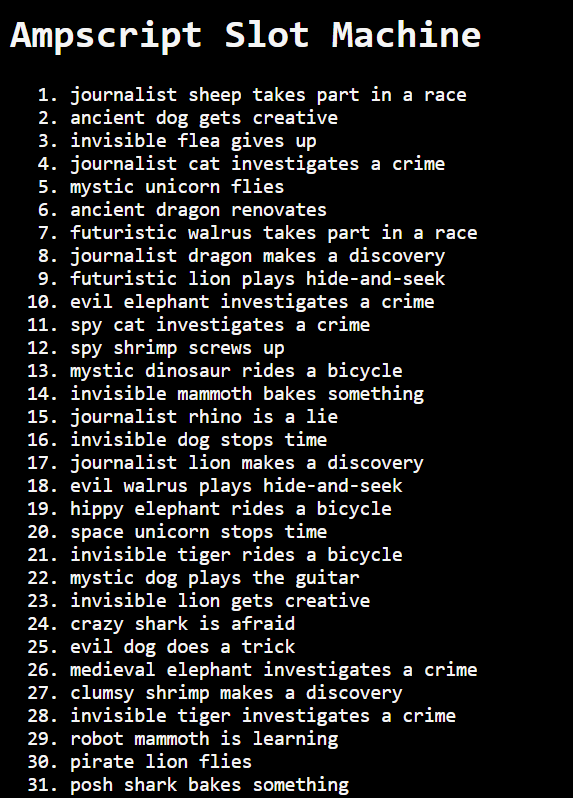
</html>Example output: